
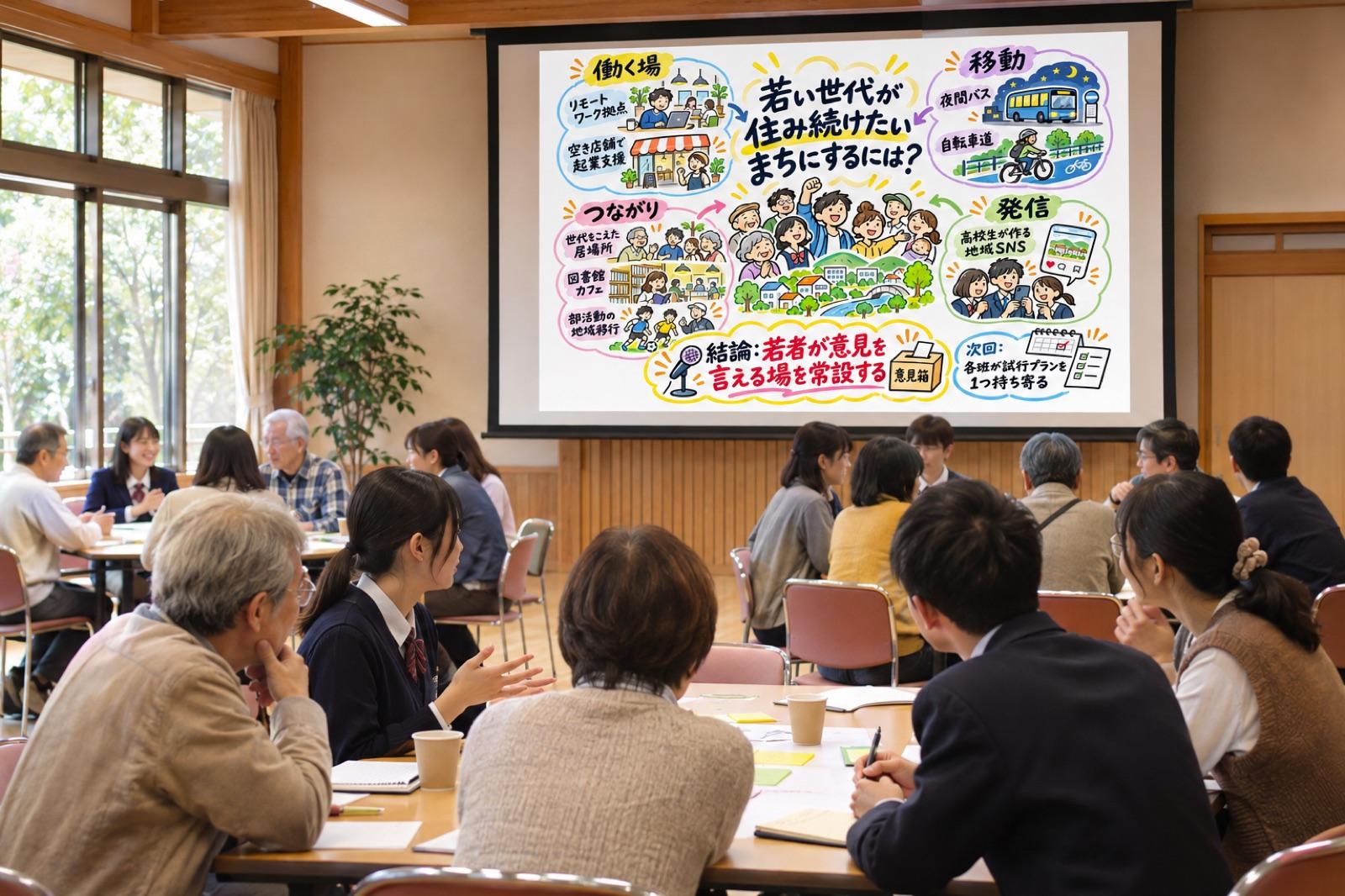

Everyone's words, clear at a glance.
Turn what's said into text on the spot, then into key points, translations and illustrated summaries.
Contact usHow it works
Press record. That's it.
01
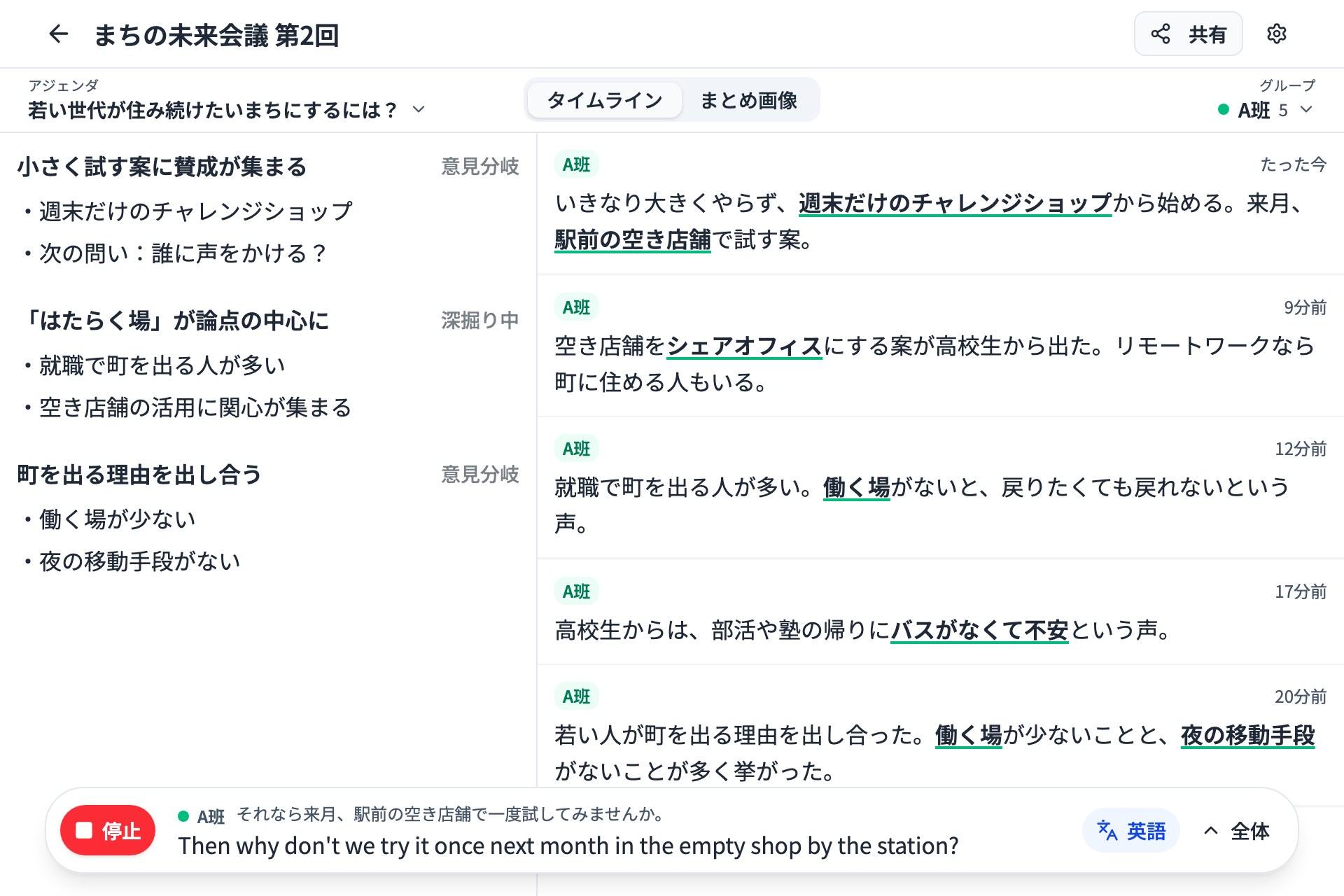
Sorted in real time, as you talk
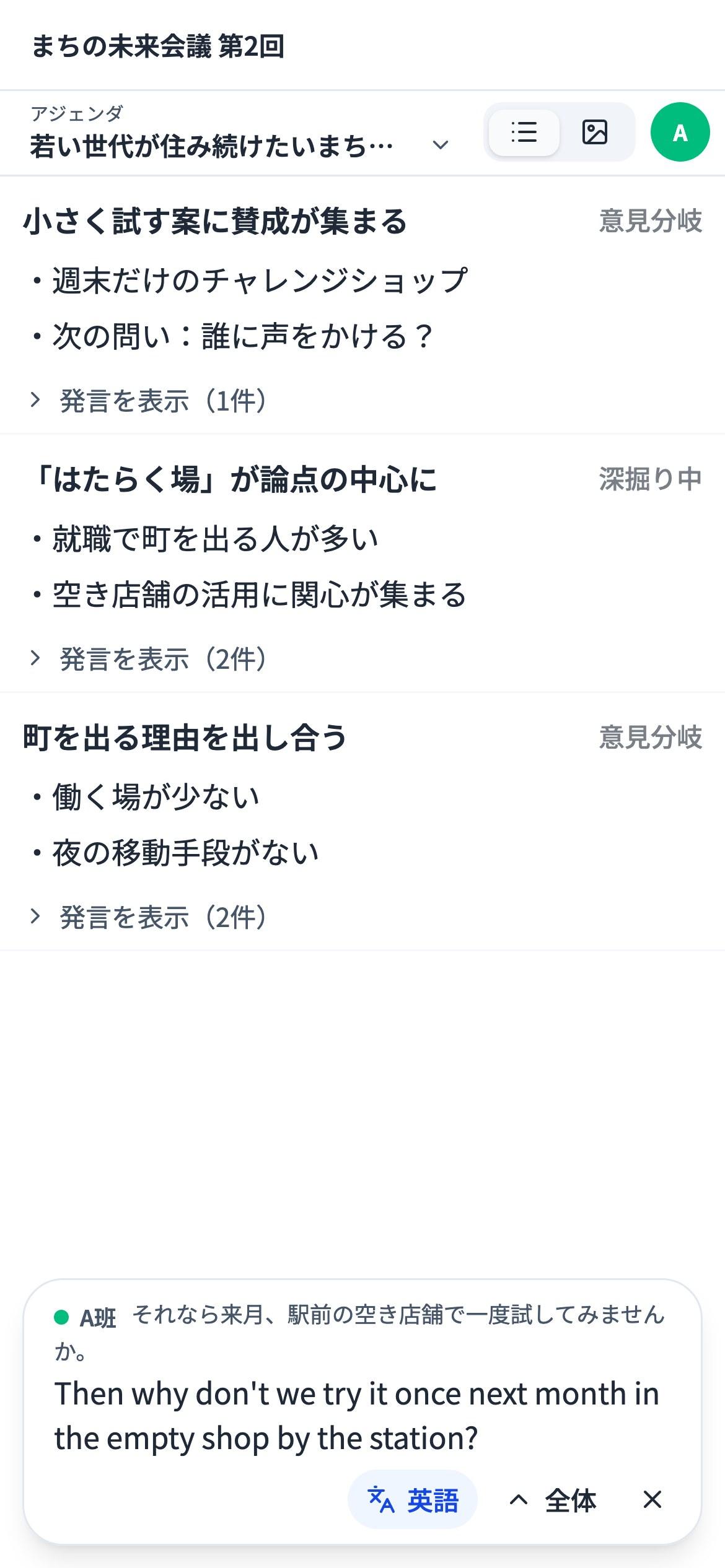
- What's said turns into text on the spot and is sorted into cards
- The AI adds the current issue and the next question to explore
- Read the cards for detail, the AI comments for the big picture
When it helps
Checking how far each group has got while you walk the room
02
Translated on the spot
- The translation appears right under each remark, as it's spoken
- Each viewer picks their own language
When it helps
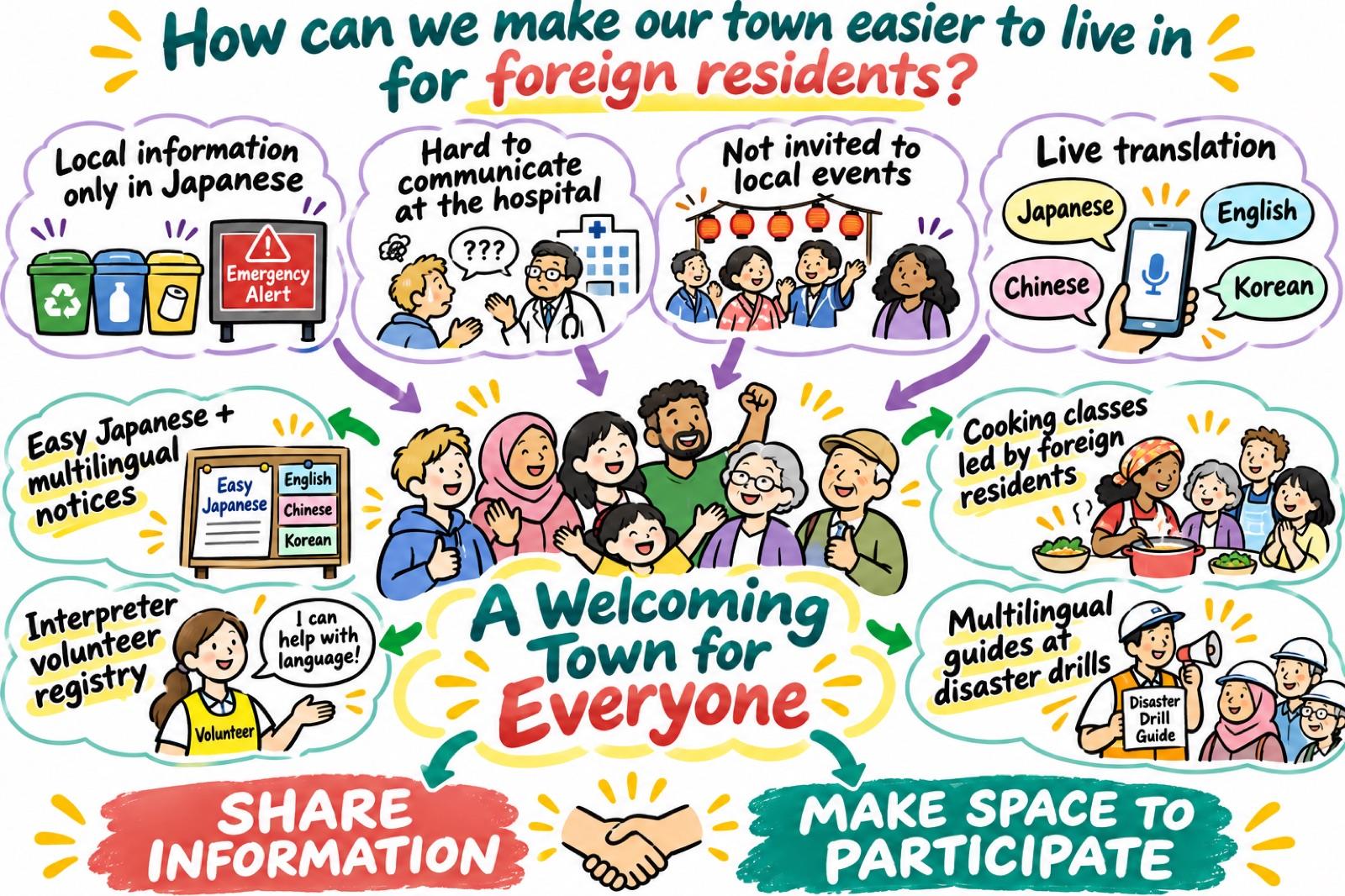
Conferences with overseas speakers or students, and town meetings with international residents

03
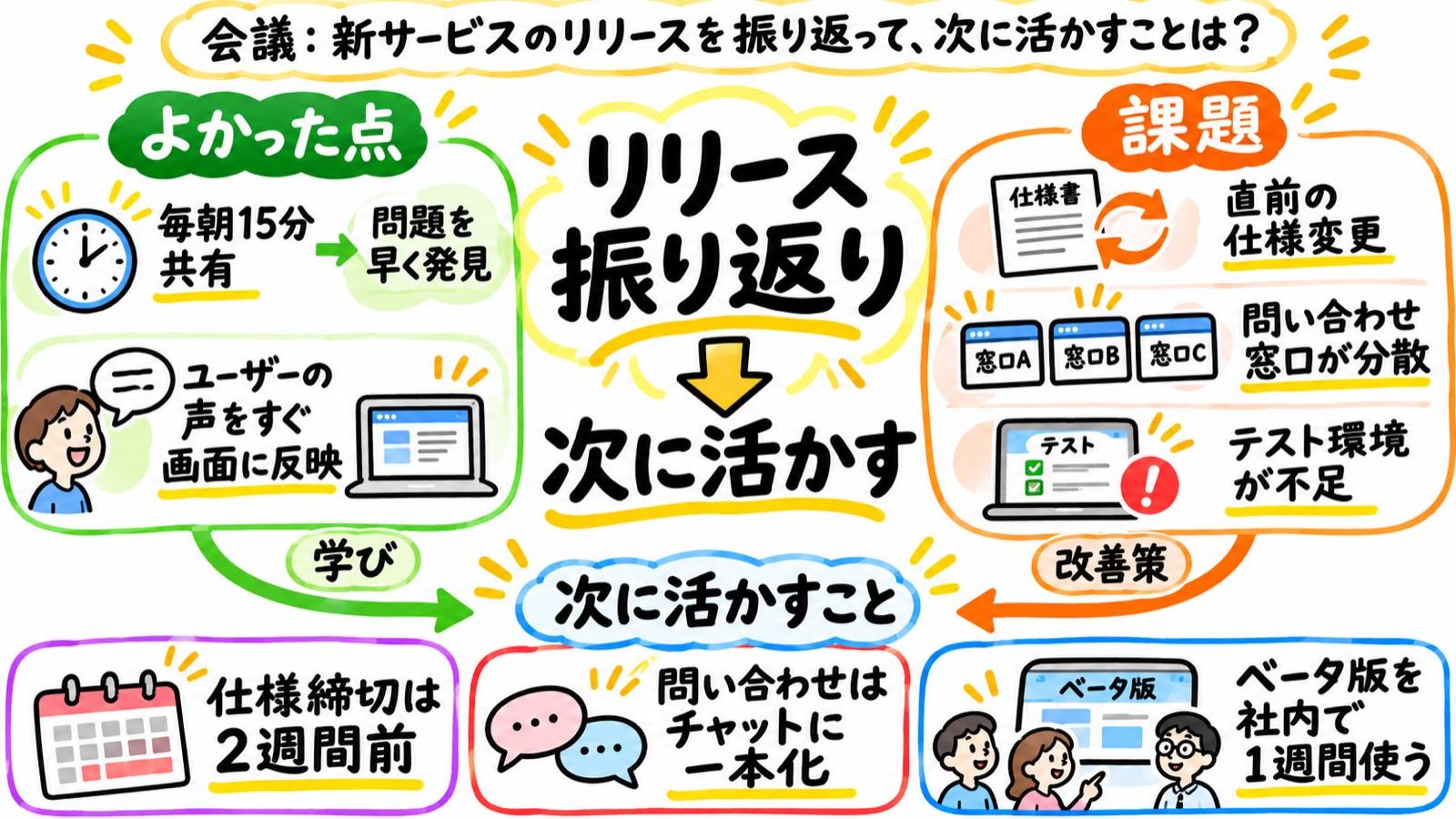
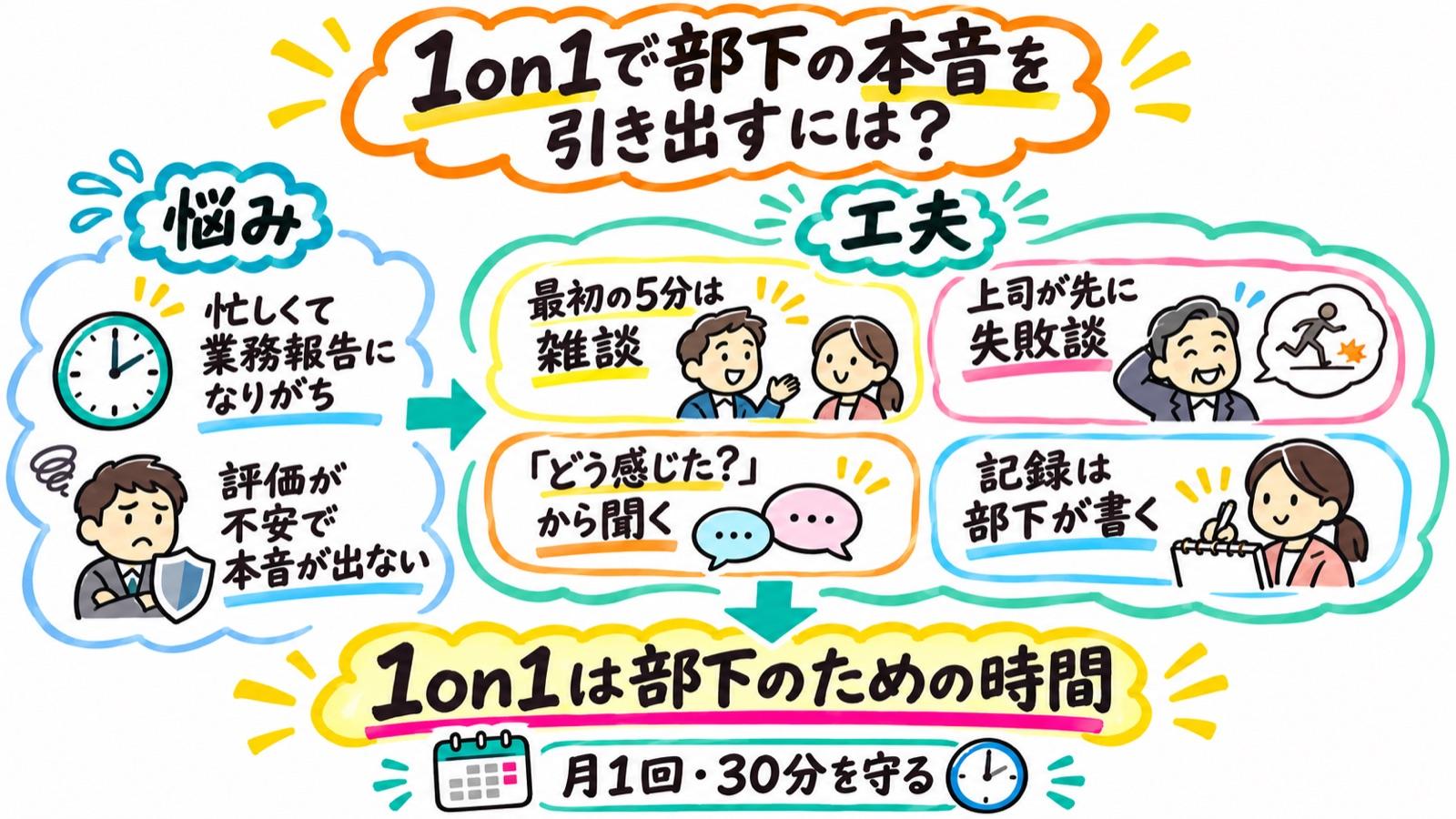
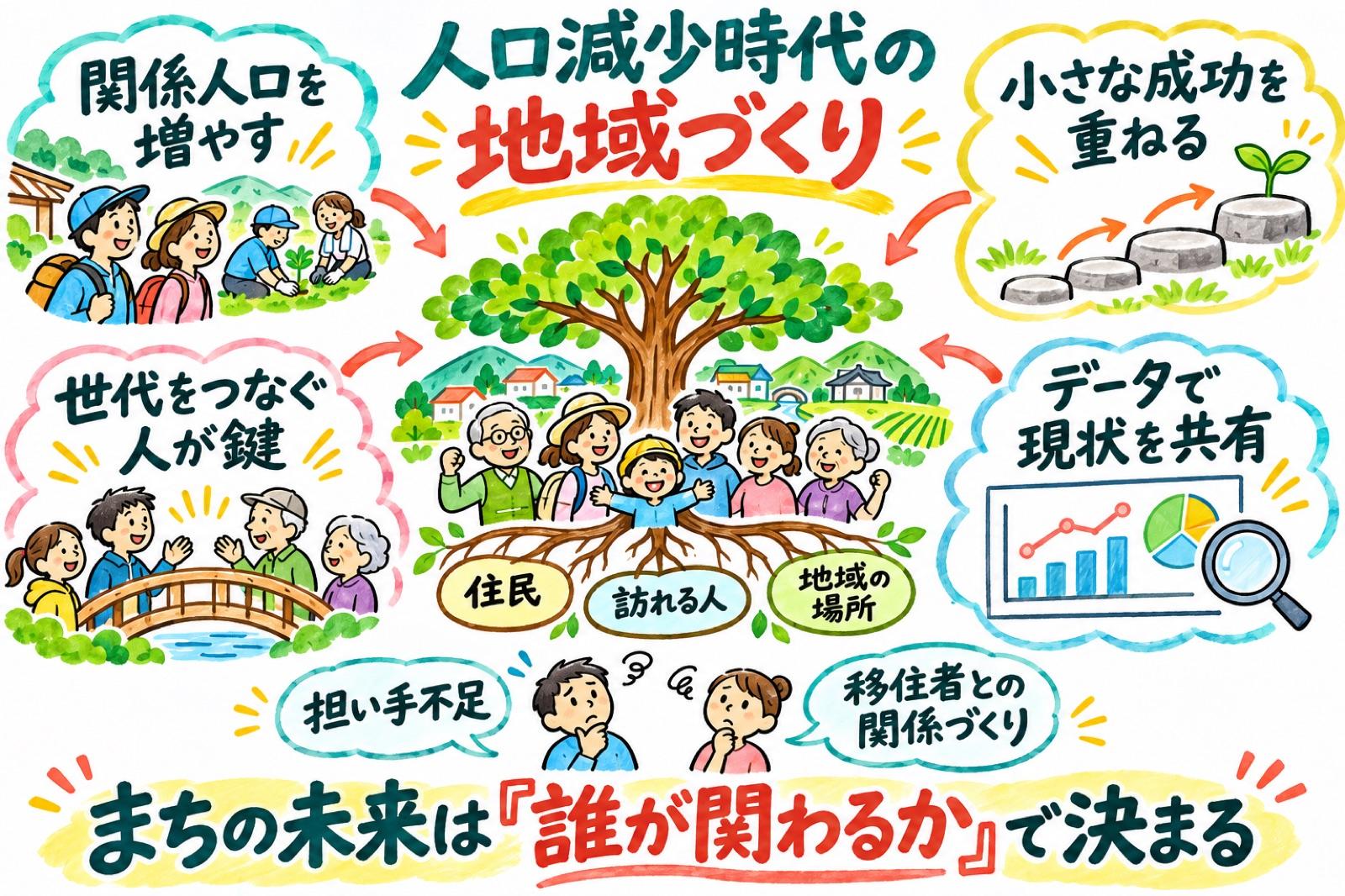
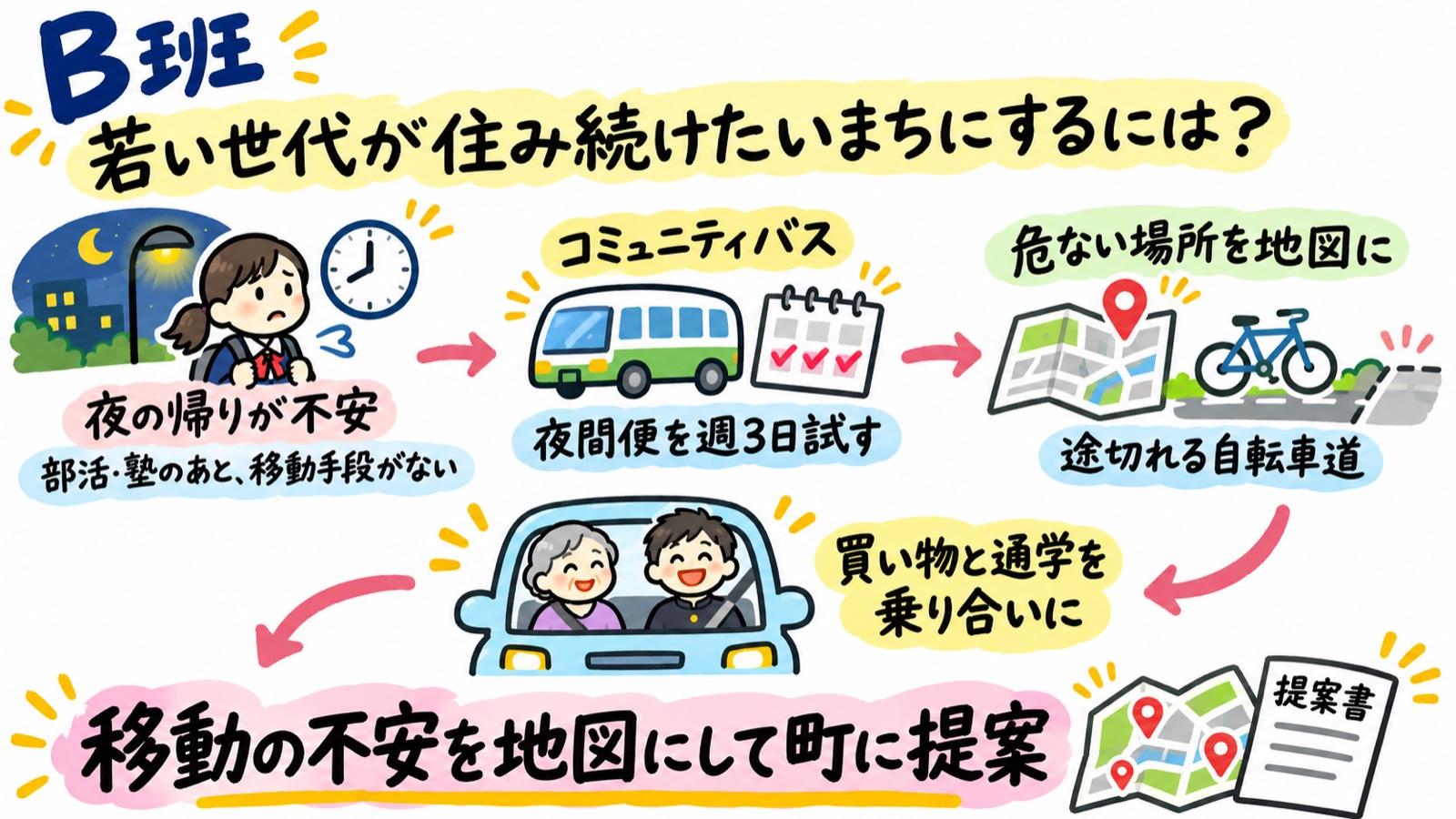
It ends in one picture
- One illustration for the whole meeting and one per group, for each agenda item
- One click, so you can show it right after the discussion
When it helps
Sharing every group's conclusion in a few minutes at the wrap-up, and as a handout afterwards

Handy in the room
Nothing slips through, even in big meetings
Multiple groups
Follow every group on your own
Problem
With many groups, the person running it only hears part of the room.
Solution
Each group records on a phone. Switch on screen to see the whole room.

Multiple agendas
Records stay separate by topic
Problem
When the topic changes, notes get mixed up and are hard to sort later.
Solution
Just switch the agenda. Records and summary images stay with each topic.
Easy sharing
Straight to participants' phones
Problem
Showing participants the record means handing out documents again.
Solution
Scan a QR code and follow along on your own phone.
Voices
What users say
「Local governments need to accommodate people with hearing loss, so I think there are plenty of places it fits.」
 Local Government Officer
「The meeting atmosphere improved, and everyone joins in more positively.」
 Team Lead
「It's helping boost employee engagement.」
 HR
「I couldn't understand the group context before, but now I can connect with people.」
 Facilitator
FAQ
Q&A
Try it in your next discussion